Building Medialogfy with Expo: two platform interfaces and a shorter improvement loop
Medialogfy is the app I use to keep games, films, series, music, and books in one library. I build its mobile client with Expo SDK 57 and React Native. The project gives me a practical place to test a question that often becomes a framework debate: can a shared mobile codebase still give each platform an interface that feels considered, while letting a small team improve the product at a useful pace?
The answer depends on the choices around the framework. A shared codebase does not remove the need to understand iOS and Android. It changes where I spend the work. I can share domain rules, API access, validation, and much of the screen structure. I then give platform-specific presentation to the places where the operating system changes the experience.
One product, two interface treatments
On supported iOS surfaces, I explored Liquid Glass. On Android, the same interactions use a Material-style fallback. The fallback is part of the design work, not a degraded version of the iOS screen. A user still needs clear labels, readable contrast, and predictable touch targets when translucency is not available.
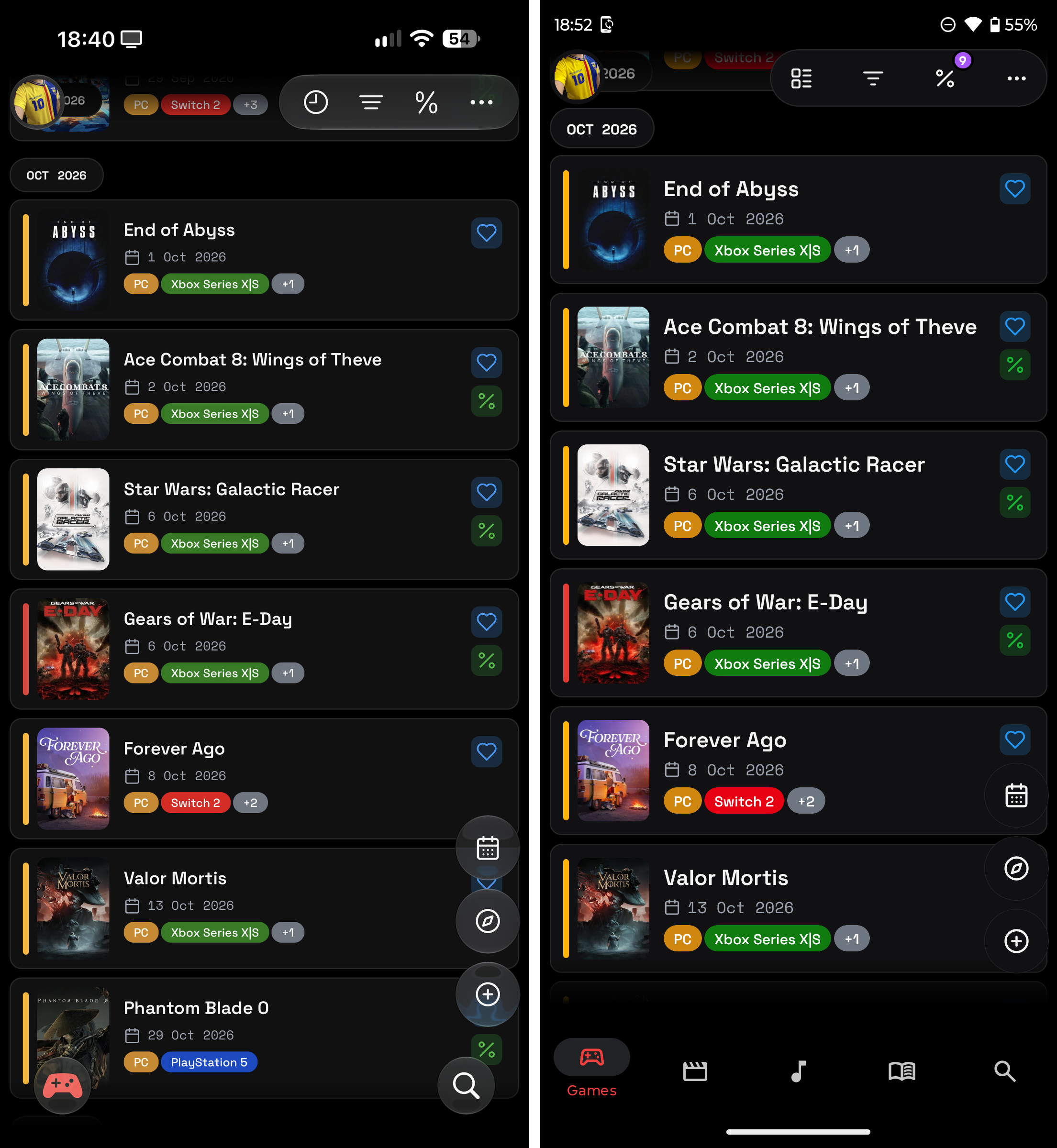
The two implementations share the behavior behind their controls. They do not need to use the same visual treatment. That boundary lets me keep a consistent product while respecting what people expect from the platform in their hand.
I also keep the native escape hatch available. React Native does not prevent a product from using native code when a capability demands it. It lets me reserve that work for the cases where it provides value, instead of duplicating every form rule, data request, and business decision across two applications.
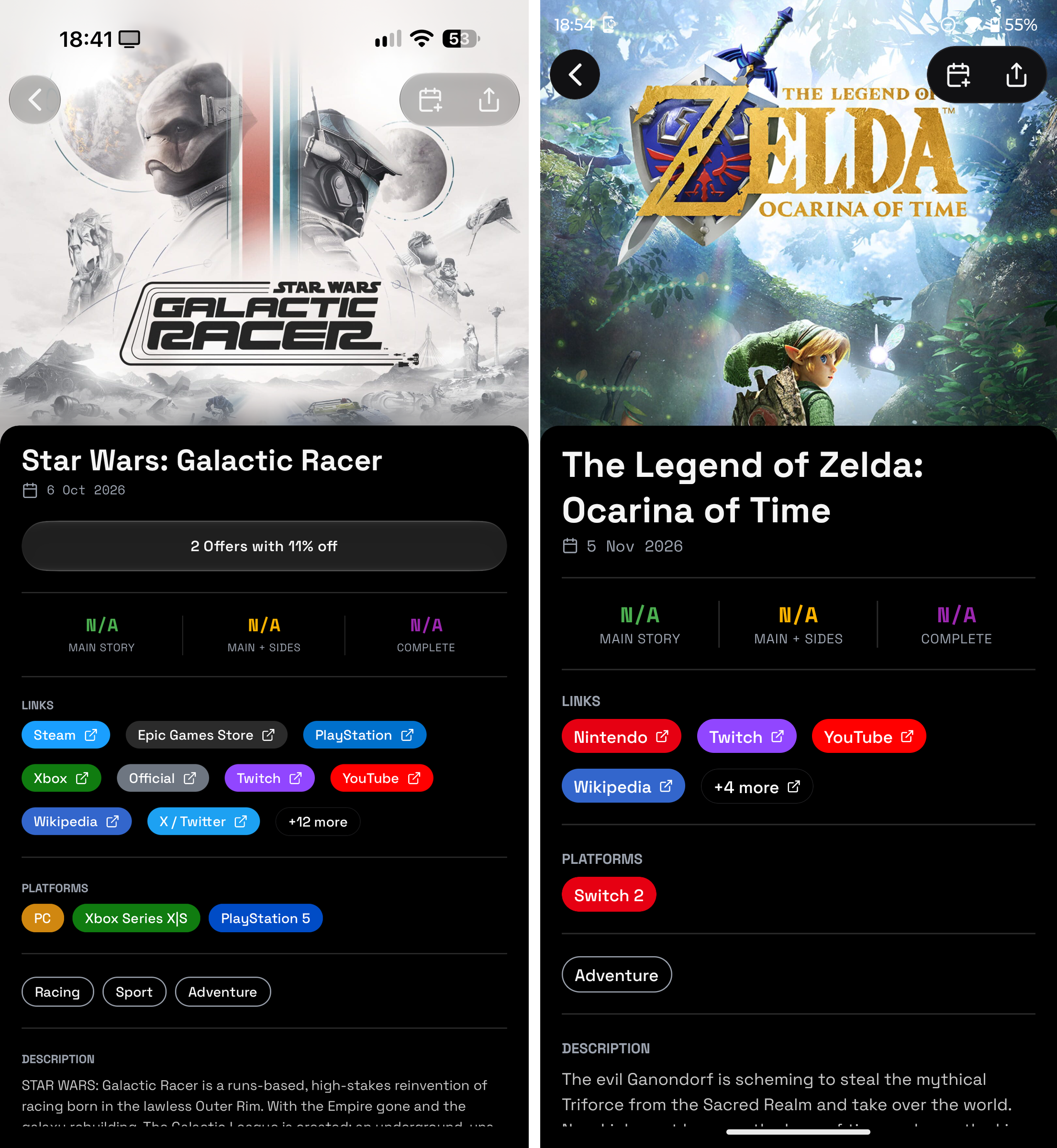
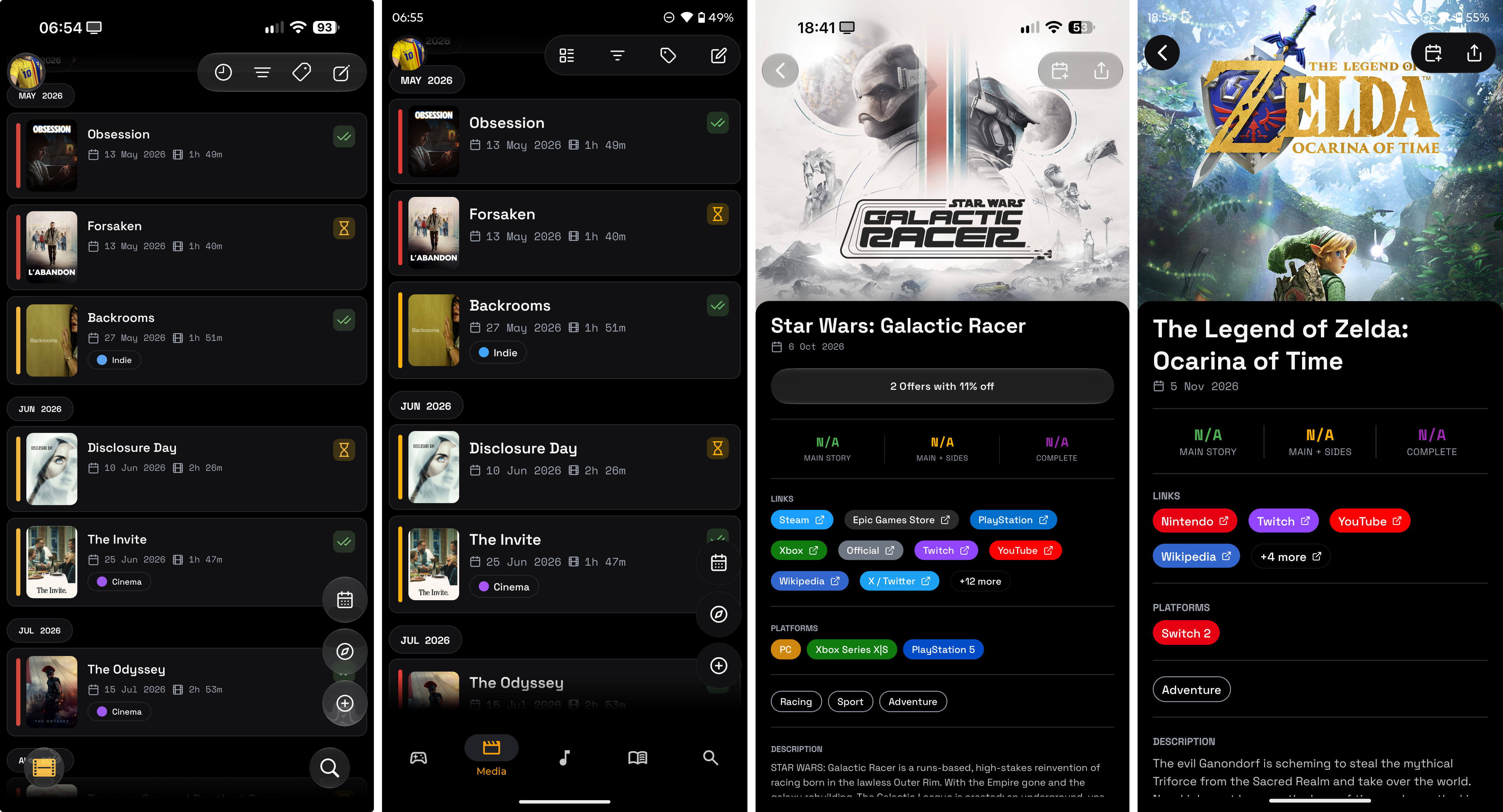
The screenshots show interface treatment, not a complete quality claim. I still need to test text scaling, assistive technologies, keyboard behavior, navigation, and permissions on both systems. A framework does not perform that review for the team.
A contract that follows the client
Medialogfy has a backend and a mobile client. I generate TypeScript types from the backend OpenAPI specification and make typed requests with openapi-fetch. When the server changes a response field, the generated contract gives the mobile app a chance to expose the mismatch during development rather than after a release.
I use Zod for runtime form validation. The roles stay separate: generated types describe the API contract I compile against, while schemas validate values where the app receives them. This leaves room for the work every client still needs to do: empty states, network failures, and unexpected responses.
Push notifications make that distinction concrete. The interface permission, the device token, the server registration, token rotation, and the delivery result are different states. Treating them as separate states makes it easier to explain what happened when a person does not receive a notification.
OTAs are an improvement loop, not a shortcut around review
Expo over-the-air updates let a team deliver compatible JavaScript and asset changes to an installed app without asking users to download a new store release. That makes the time between observation and a safe correction shorter, provided the change stays within the capabilities of the installed native build.
The boundary matters. A new native dependency, an entitlement, a permission change, or another native configuration change still requires a new build and the normal store path. For compatible changes, I keep runtime branches for the installed version and carry each verified fix forward to develop for the next release. Release scripts, a dry run, and a pre-push check make that branch and compatibility review repeatable.
That workflow becomes useful beyond visible bug fixes. In my work, I have used Amplitude to add or refine product events and see where people abandon a journey. I have used Sentry to add safe diagnostic context so a team can reconstruct the path into an error. Neither tool is presented here as an integration in Medialogfy. They are examples of what an OTA can support when the relevant SDK already exists in the native build: gather the missing signal, inspect the new evidence, reproduce the issue, and ship a compatible correction.
Marketing and product teams benefit from the same loop. A campaign can lead users into a flow, product can inspect the step where the journey loses them, and engineering can add the event or correction needed to test a focused change. Each update still needs review, rollout checks, and a rollback plan. OTAs shorten the delivery path. They do not remove product or engineering judgment.
Measuring a narrow interaction before making broad claims
I also wanted a repeatable reference for one warm navigation path. On an iPhone 16, I reopened the same Media detail ten times after its data had loaded. The local development measurement produced a 156.1 ms median and a 169.4 ms p95 to a JavaScript readiness marker.
The scope matters more than the number. That marker does not certify final native pixels, image loading, transition completion, Android behavior, or equivalence with SwiftUI. It gives me a baseline for one cached path, with a procedure I can repeat when I change the interface. I would use native profiling and broader device coverage before making a performance claim about the application as a whole.
Why I keep choosing this combination
Expo and React Native give Medialogfy a shared foundation, a route to platform-specific UI, and a practical release model for compatible improvements. React and TypeScript also widen the pool of engineers who can work on the product, while mobile-specific experience remains essential for permissions, accessibility, performance, and releases.
The value is not that Expo replaces native engineering. The value is that a team can decide where native specialization matters, share the rest of the work, and iterate without turning every compatible improvement into a full store-release cycle.
For Medialogfy, that has meant a product I can evolve deliberately: inspect the contract, test both interfaces, measure a focused path, and deliver the next compatible correction through a workflow I can audit.