About
Games, movies, series and anime go into one library, logged by release date, status and priority. Search HowLongToBeat for games, TMDB for movies and series, or MyAnimeList for anime, pick the result, and the entry lands with its cover, genres, runtime, cast and score already filled in. Anything the catalogs miss you can add by hand and link to a real entry later.
The same library is available in a web app, in a native iOS app, and through an MCP server, all on one account.
Web app
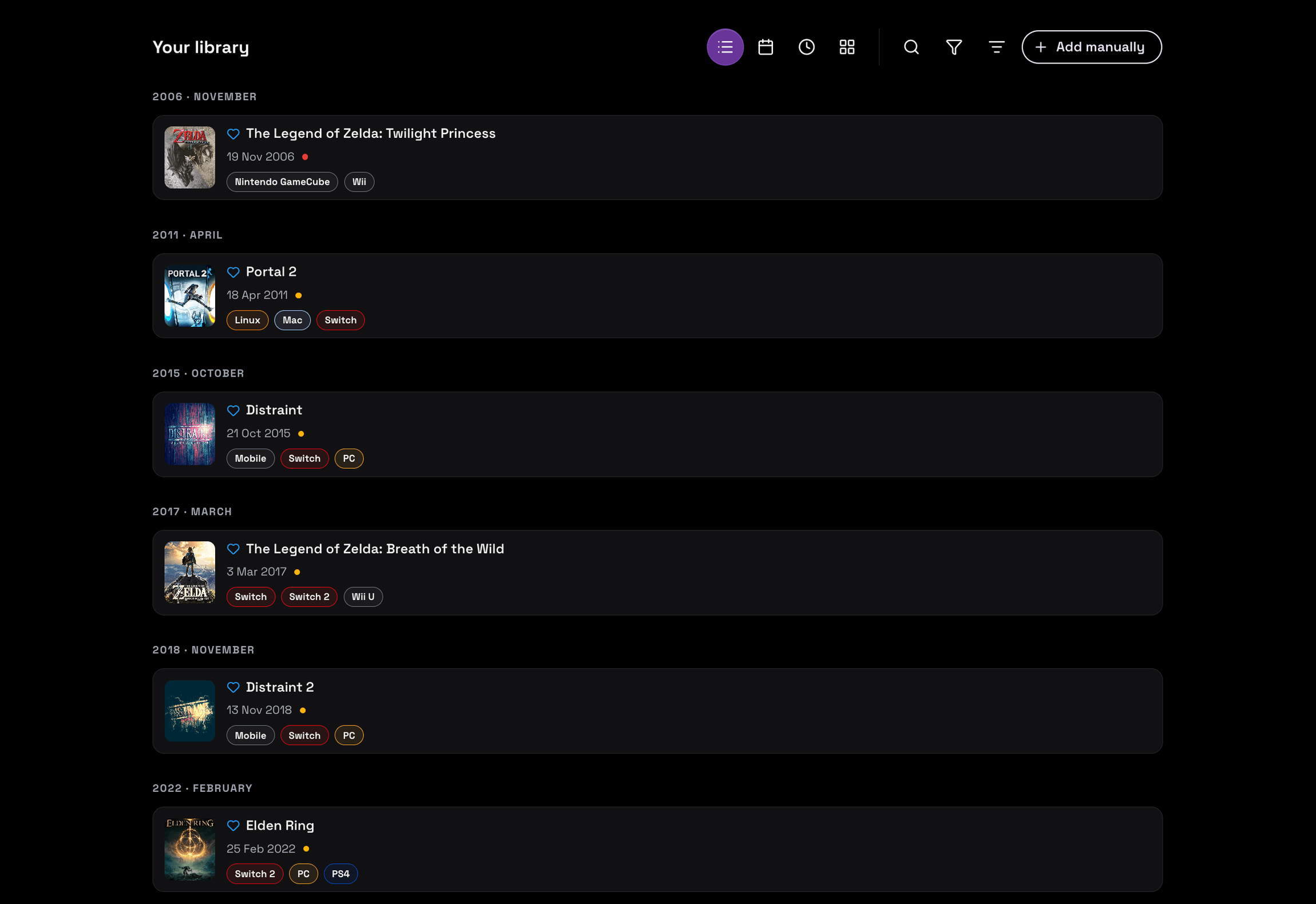
The library has four views of the same data: grouped by release date, a calendar of what launches each month, a feed of what was added most recently, and a custom order set by hand. Rows carry the cover art, the exact date, a status dot and the platforms a title runs on, and an Add manually button covers whatever the catalogs do not have.
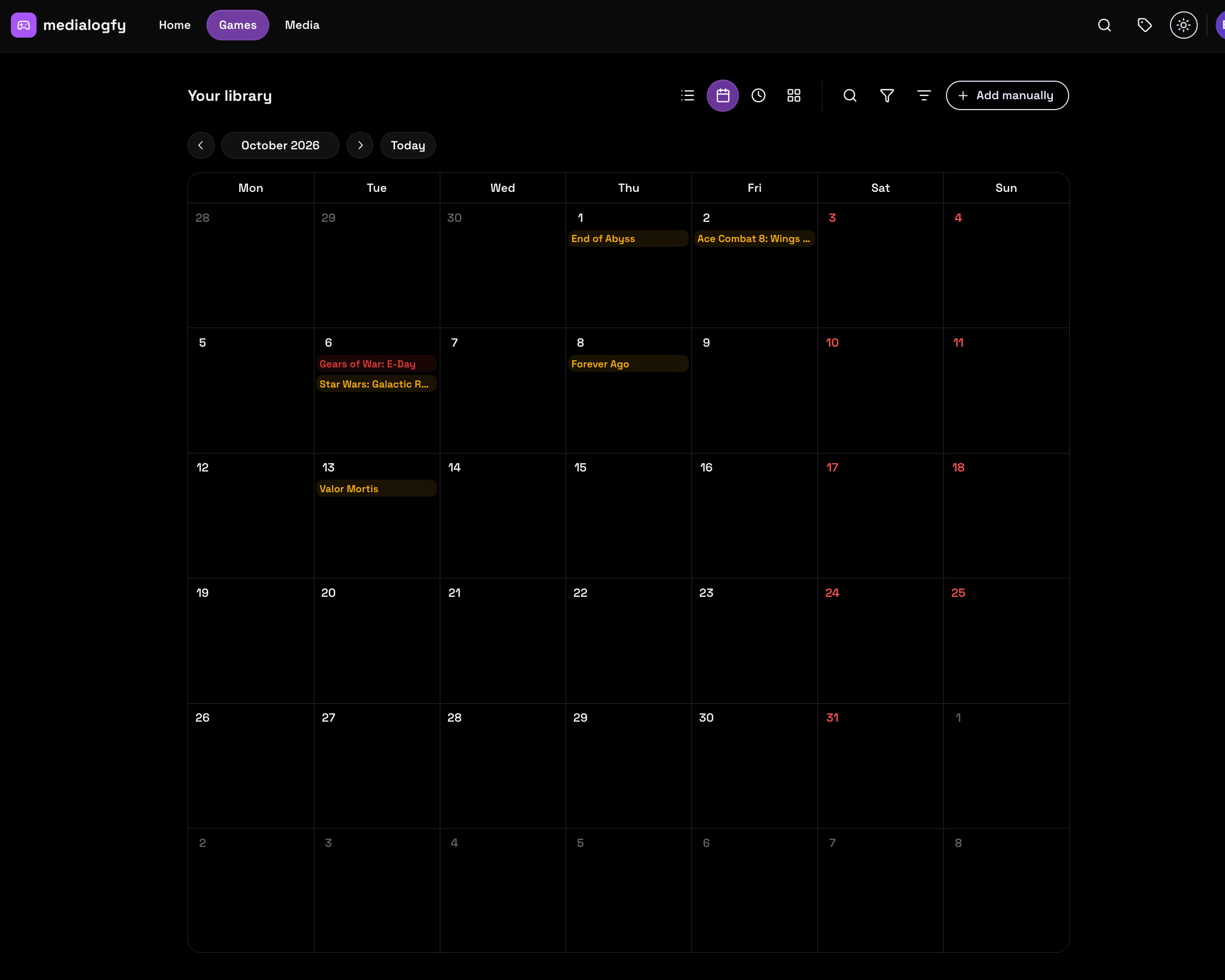
The calendar view plots those same entries on the day they come out, which turns a list of wishlisted releases into a schedule. Anything wishlisted with a future date can also be pushed to your device calendar as a reminder.
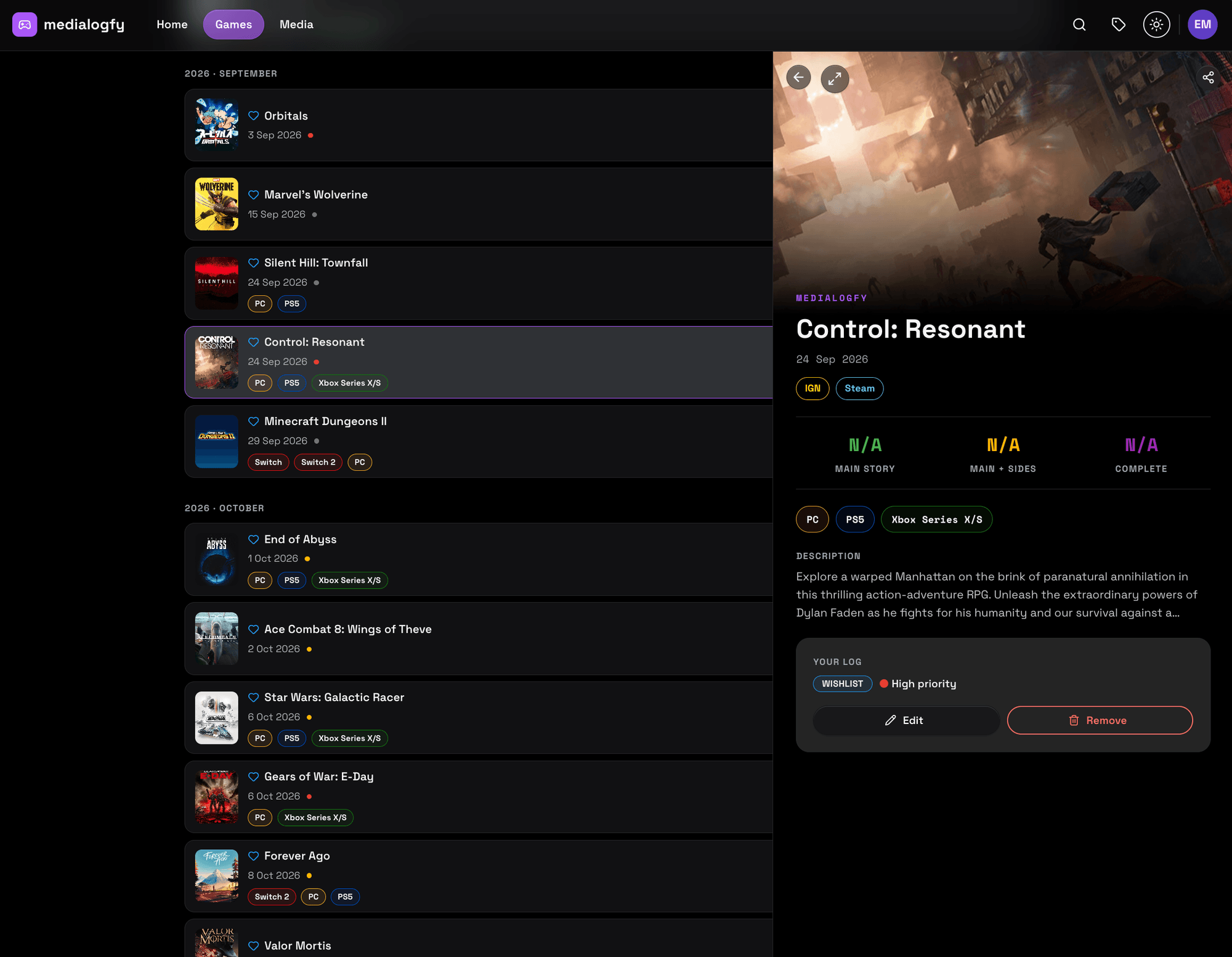
Opening a game shows what the catalog knows and what you decided about it in the same pane. The catalog half carries the description, the platform tags, links out to IGN and Steam, and three playtime estimates from HowLongToBeat: main story, main plus sides, and completionist. Your Log underneath holds the status and priority you set, with Edit and Remove.
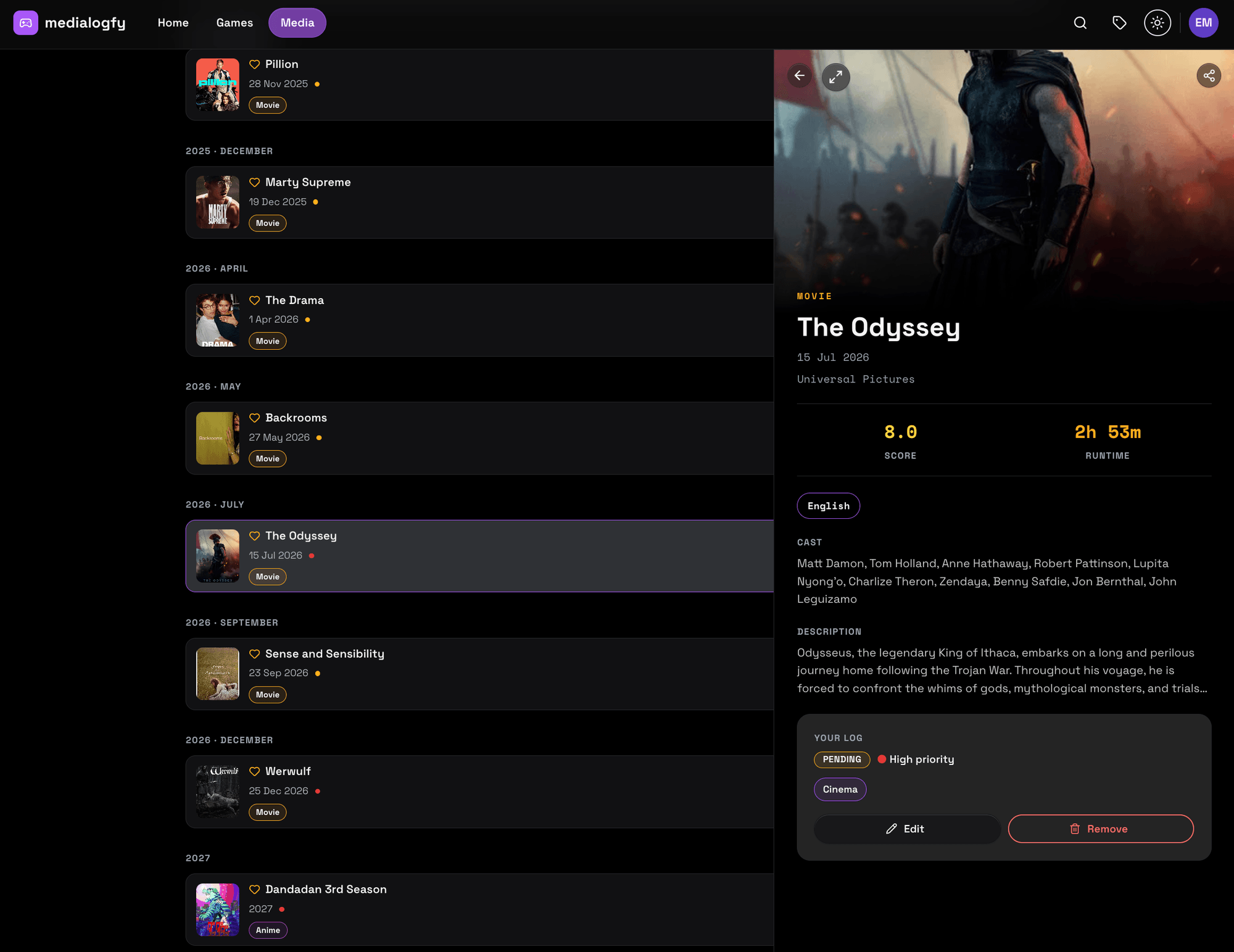
Movies and series use the same pane with a different metadata shape: studio, review score, runtime, original language and the full cast. Tags on Your Log are your own, so a film watched in a theatre can carry a Cinema tag and filter apart from everything watched at home.
Mobile apps
The mobile clients are native Expo builds, not wrapped web views. They share the release-date grouping, API contract, and product rules across iOS and Android. Smart lists carry over as well: build a view from conditions on any field with AND/OR groups and a sort, save it, and it resolves live against the library.
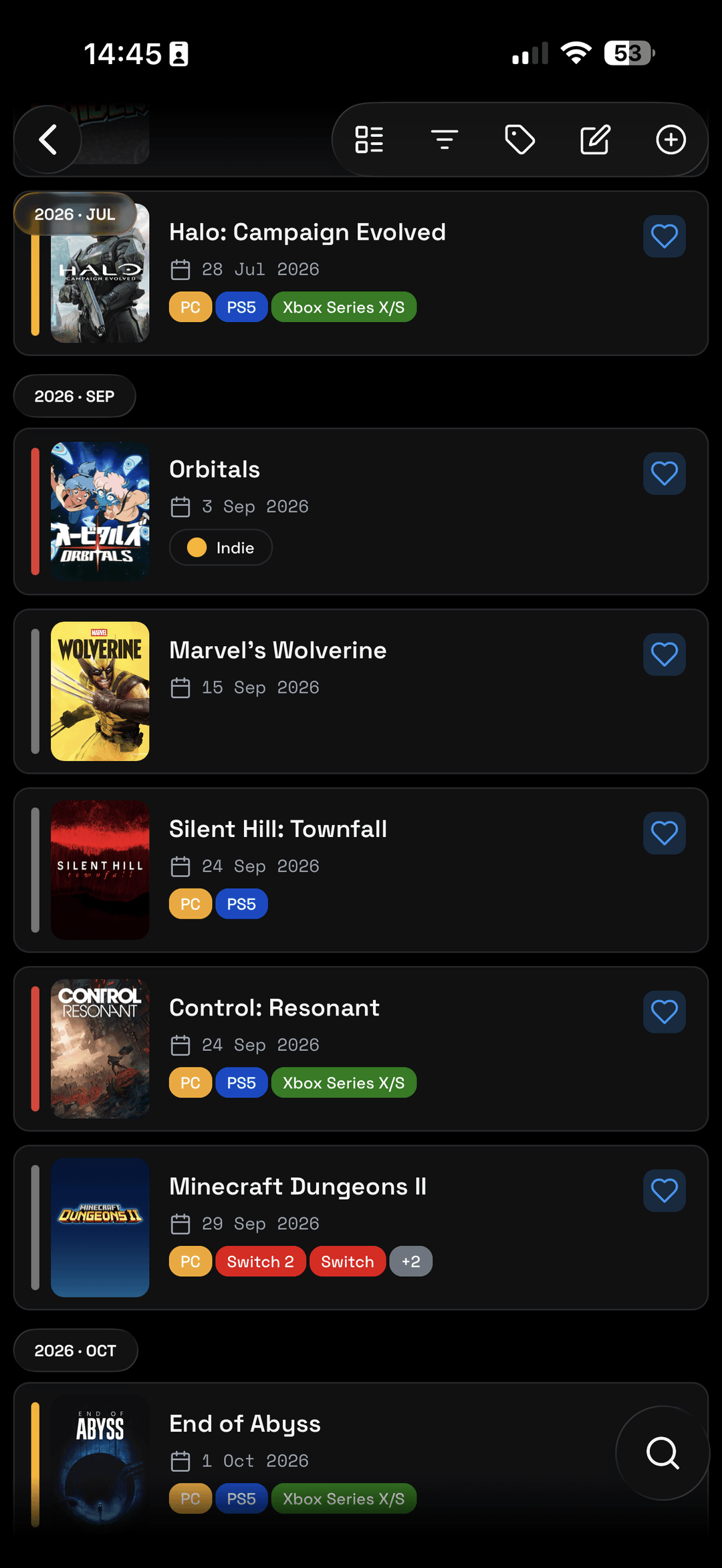
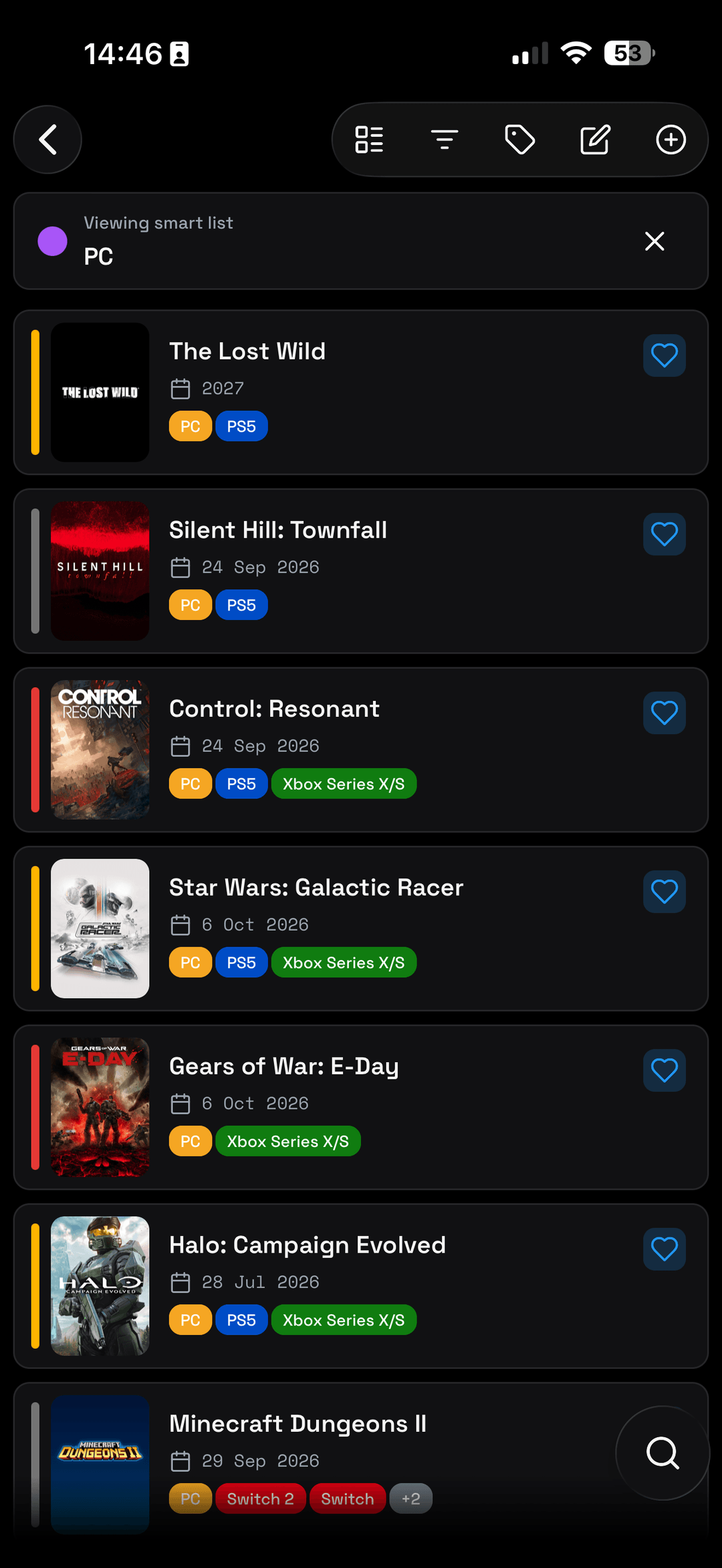
On a game detail screen the four states sit in one row, so moving a title from Wishlist to Playing, Completed or Abandoned takes a single tap. The media library reads the same way, with review scores, your own tags, and season by episode counts on anything that runs longer than a film. The newest mobile work also keeps the same interaction model while giving each platform its own presentation.
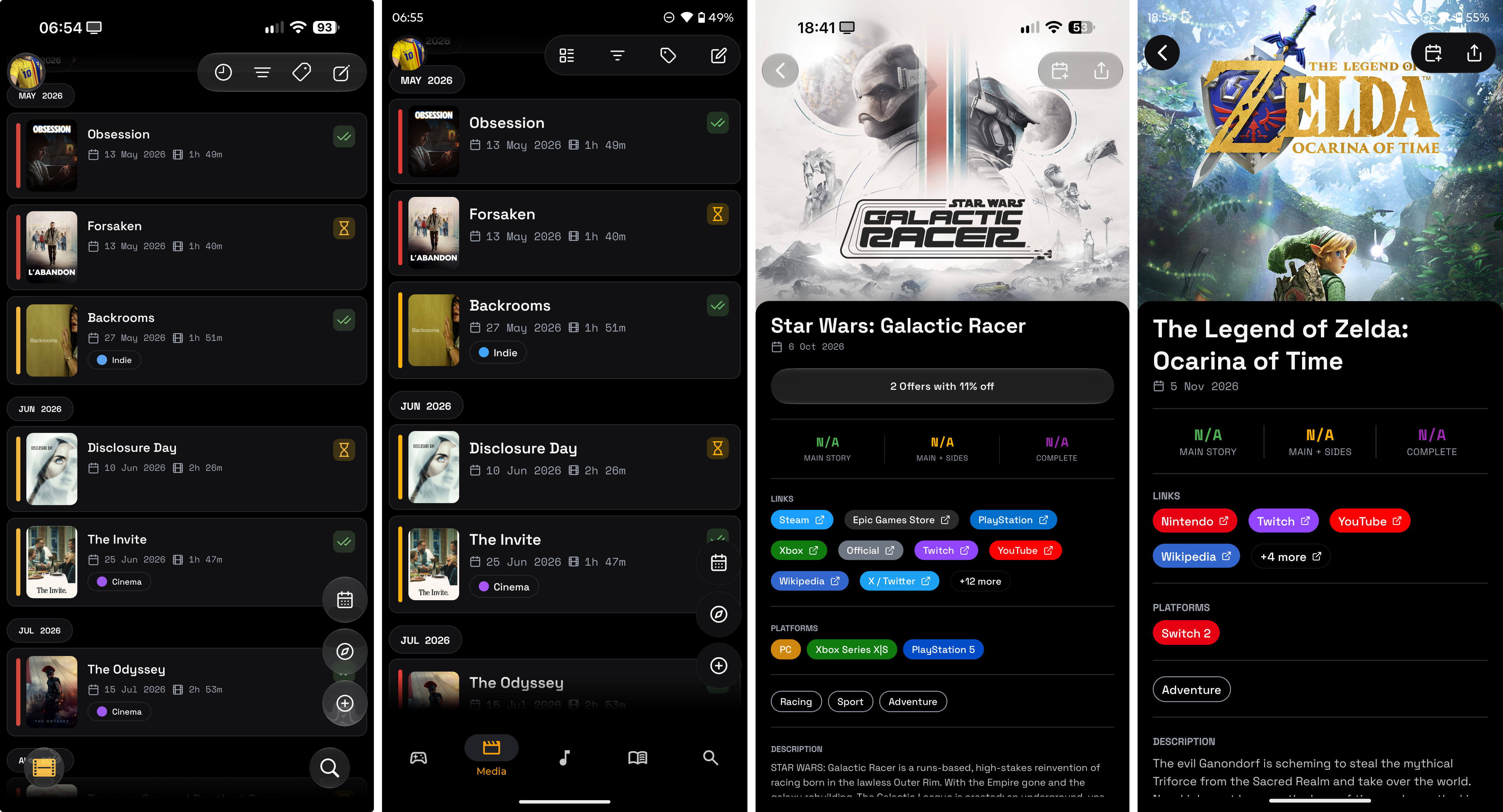
On supported iOS interfaces, panels and controls use Liquid Glass through expo-glass-effect. Android presents the equivalent controls as Material-style surfaces. The behavior behind those controls stays shared, while labels, contrast, hierarchy, and touch targets remain useful in both treatments.
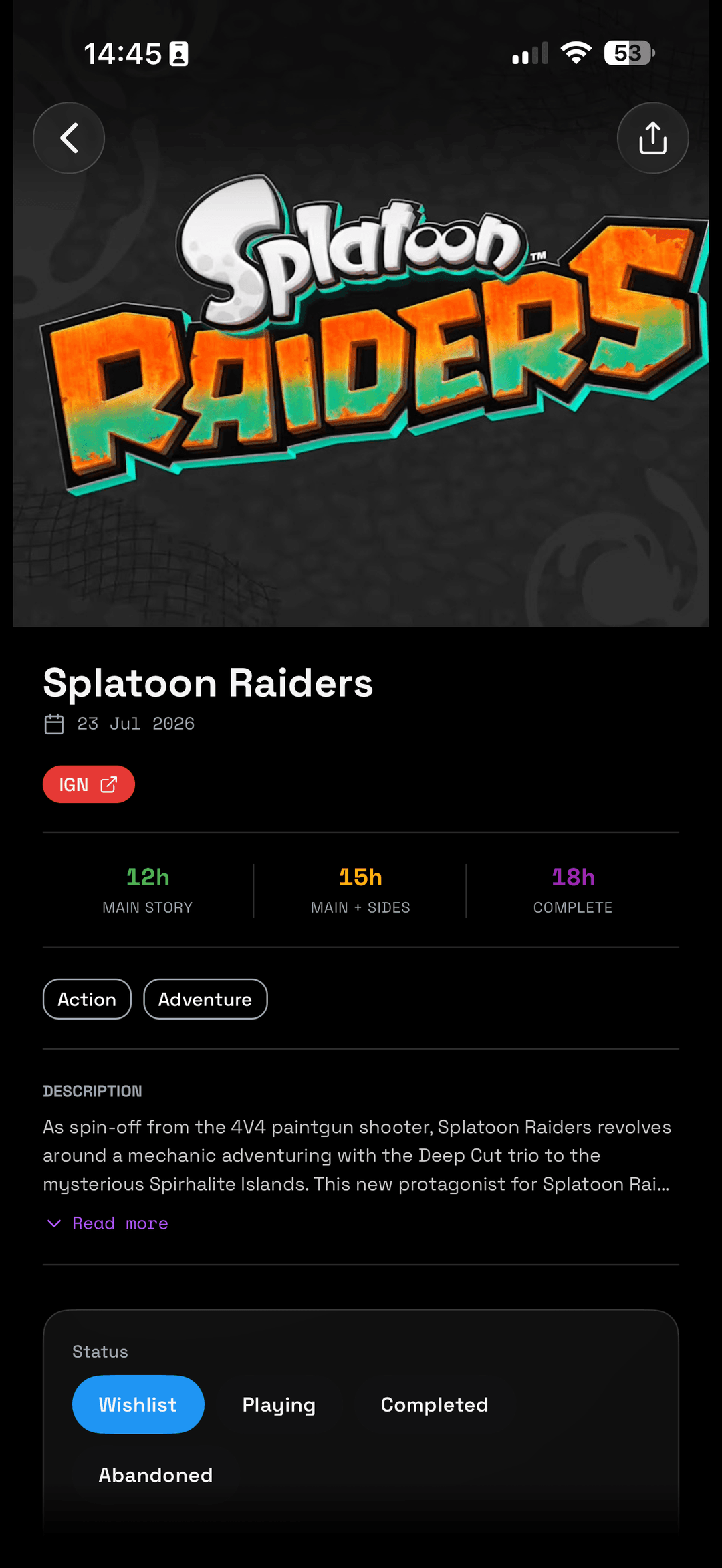
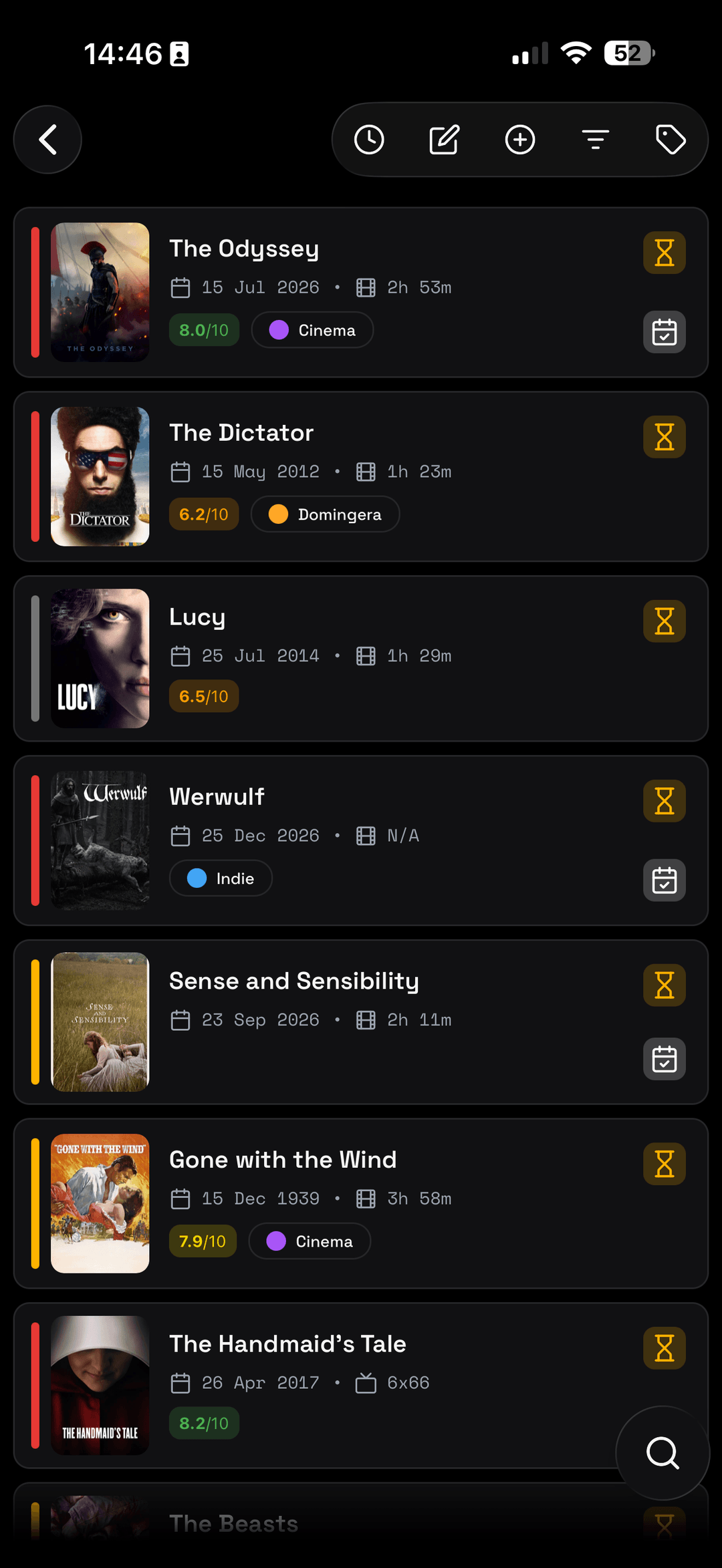
The client generates its API types from the backend OpenAPI specification and uses typed requests, so contract changes show up while developing. Push notifications also keep operating-system permission separate from the device registration stored by the server. Entries can leave through the native share sheet.
I maintain runtime branches for compatible over-the-air fixes and carry verified changes into development for the next native release. The process uses release checks, a dry run, and a review of the installed runtime before publishing. Native dependency, entitlement, or permission changes still require a new build.
Read how I approach the mobile UI, API contracts, release workflow, and focused performance checks.
MCP server
An MCP server puts the library in front of an AI assistant. It exposes ten tools: search the game and the media catalog, pull the full catalog detail for a result, create a log entry, update one, and list what is already logged. Claude Code, Claude Desktop, Codex, Gemini CLI, VS Code, Cursor and opencode connect to it over streamable HTTP. Search, create, update and browse are the whole surface; tags, smart lists and deletion stay in the app.
Creating an entry does not trust what the model passed in. The server fetches the real catalog record itself, cover and genres and runtime and cast and score, so an assistant that half-remembers a release date cannot write that date into your library. Sign-in runs on OAuth 2.1 with PKCE: a browser window opens, you sign in with email or Google, and the session is stored. There are no keys or tokens to paste, and it reads the same account and the same rows as the two apps.
Tech used
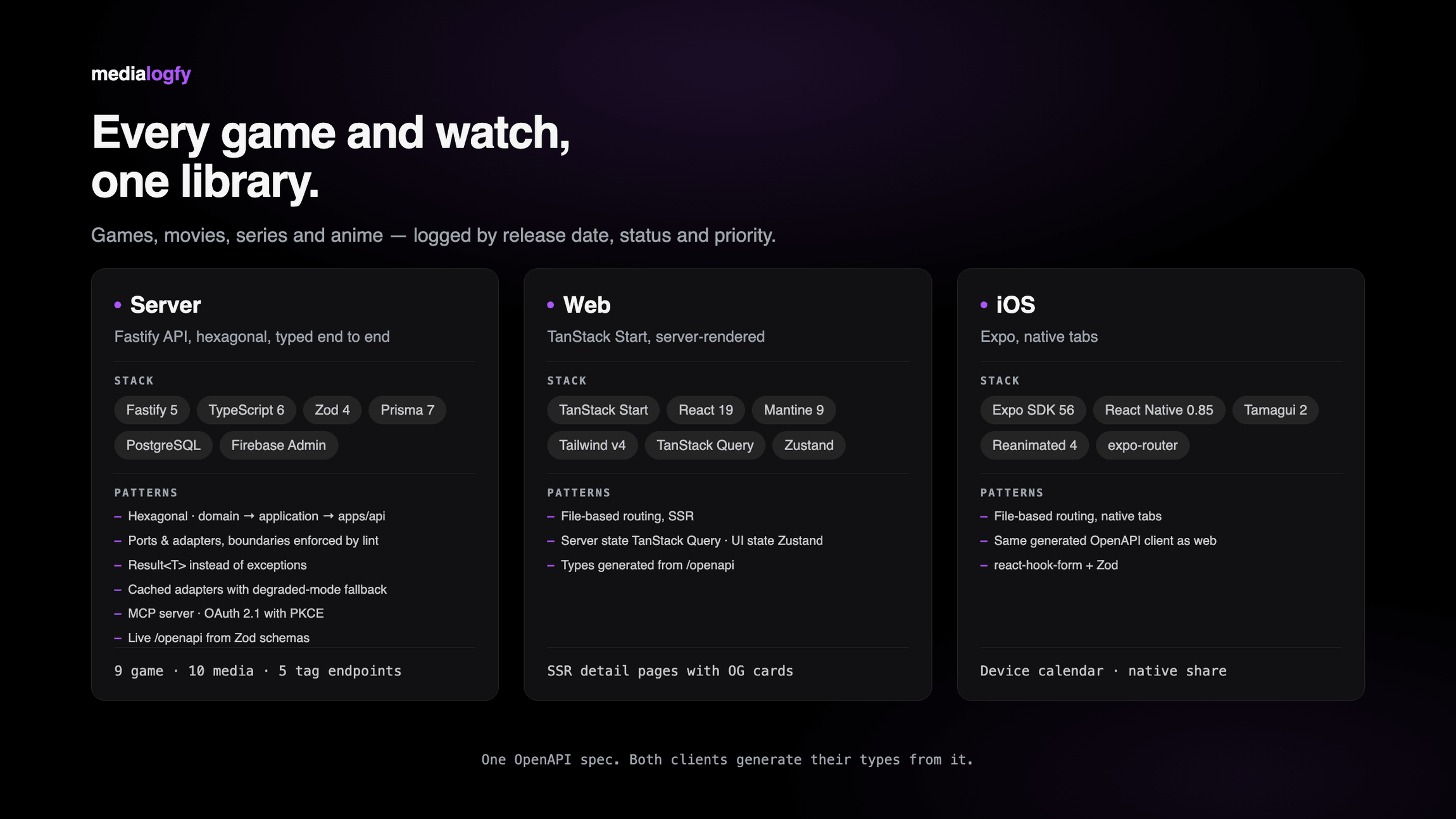
One OpenAPI spec sits between the three surfaces. The Fastify API publishes it live from the Zod schemas that already validate every route, and both clients generate their types from it, so a field that changes on the server shows up as a type error in the web app and in the iOS app instead of at runtime.
- TanStack Start on Vite, React 19 (web, server-rendered)
- Mantine 9, Tailwind v4
- TanStack Query (server state), Zustand (UI state)
- Expo SDK 57, React Native, expo-router (iOS and Android)
- Tamagui 2, Reanimated 4, expo-glass-effect
- Fastify 5, TypeScript, Prisma 7, PostgreSQL
- Zod 4 (validation, and the source of the live /openapi spec)
- MCP SDK, OAuth 2.1 with PKCE
- Firebase Admin (auth)
- Hexagonal architecture, ports and adapters, Result<T> instead of exceptions
- Vitest 4, pnpm